



Manage every client from one dashboard
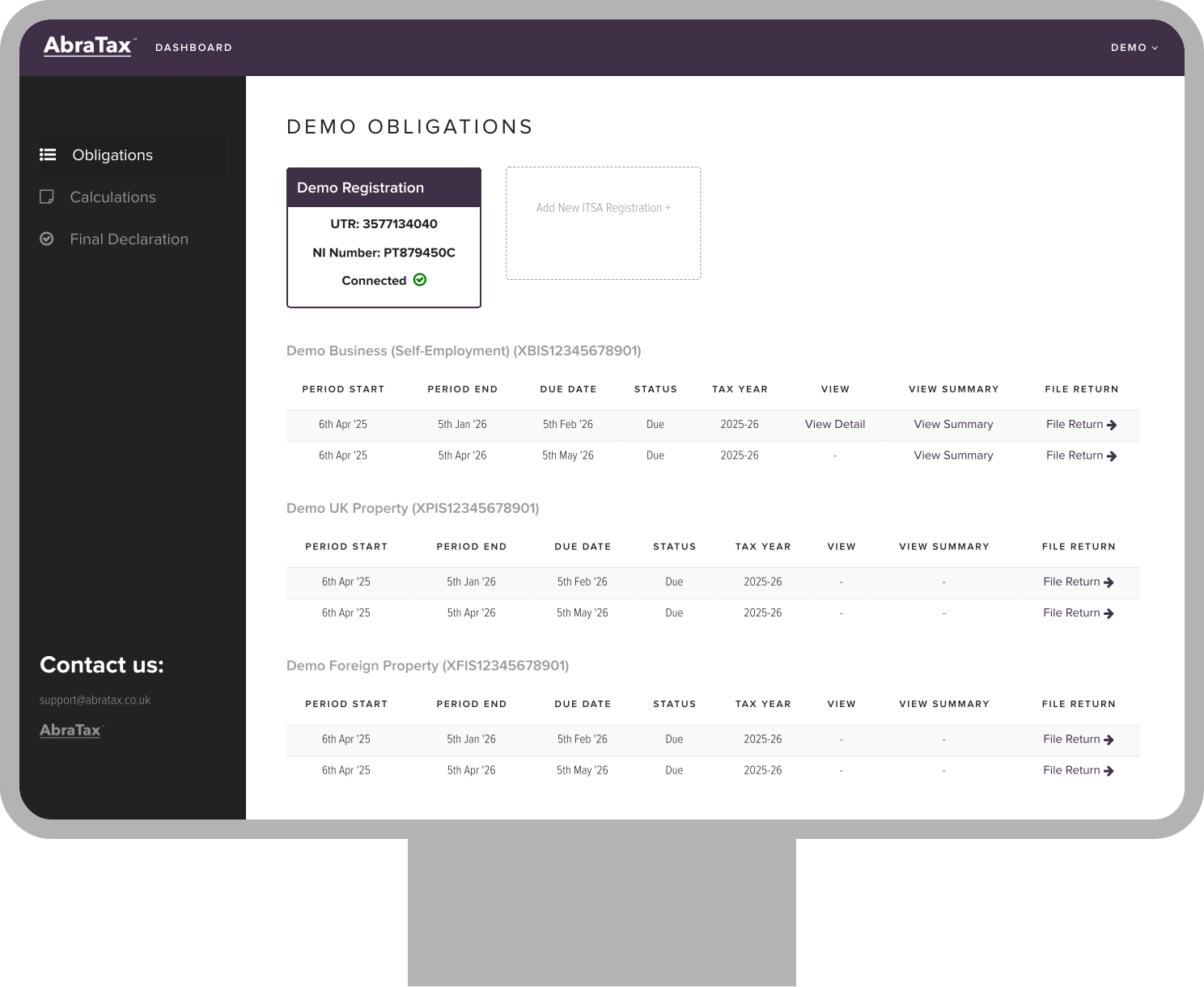
See each client's VAT and Income Tax status in one place. Check what's due, jump to filings, and view counts and queues.
 Easy to follow instructions.
Diane B.

Easy to use. Clear steps and ease of navigation. Awesome site.
Raj P.
good
R T
Great website and really easy to use. Was surprised I could do this from my phone and did not have to worry about using my chromebook which didn’t seem to work with other providers. Pleased I came across Abratax. Had a small technical issue as had not ticked all the relevant pages I needed and someone got back to me in a couple of hours. Thank you so much for your support and for the abratax! Best regards, JM
Jacquiline M.
Great website.
Claude-Olivier C.
Hi there! I used the service and it was great - simple interface, easy to navigate with the required information accessible when I needed it. Despite not being a long-term UK resident I found it relatively simple to go through - well done! A couple of suggestions to improve this further if possible: - Scanning a P60 to pre-populate information - Pre-filling information based on UTR or similar, as done in the HMRC website
Tarun R.
Really easy to use, even for additional forms etc.
Andrew F.
Satisfying in all respects.
Agha H.
Seriously awesome tax filer. Easy to use and all the steps. Allowed foreign resident! 10 minutes and done (I had got the info ready beforehand...)
William W.
So easy thank you
Diane B.
So straight forward!
Nicola H.
Thanks so much for all of your prompt assistance as it helped me submit my return before the deadline!
Diana W.
Very easy to use with the help comments by each box providing useful information.
William N.
Very easy to use. Return submitted quickly.
George M.
Your notifications of information that was missing during completion of the self-assessment return were useful. The AbraTax platform is clear and easy to navigate.
Marjorie E.

AbraTax brings your MTD filings, HMRC connections, and client approvals together, so you can stay compliant and save time on every submission.
See each client's VAT and Income Tax status in one place. Check what's due, jump to filings, and view counts and queues.
Keep your Excel workflow. Use the AbraTax template to digitally link the required fields, then upload and file.
Submit MTD VAT returns and make MTD for Income Tax updates from the same portal. Obligations appear after HMRC authorisation.
Built-in validations catch common errors before submission. Download HMRC submission receipts and PDFs for your records.

Add unlimited users, assign clients to users or groups, and set access as admin or standard. Use partner sign-off and client approval by email before submission. Support for multiple Agent Services Accounts.
Run a simple client authorisation flow, link your ASA, retrieve obligations, and file directly to HMRC.

Friendly email support plus onboarding and training materials to help your team get set up quickly.
We build with you, not just for you. AbraTax evolves with accountant feedback. We welcome requests for new features, integrations, and improvements that make your daily workflow easier.


