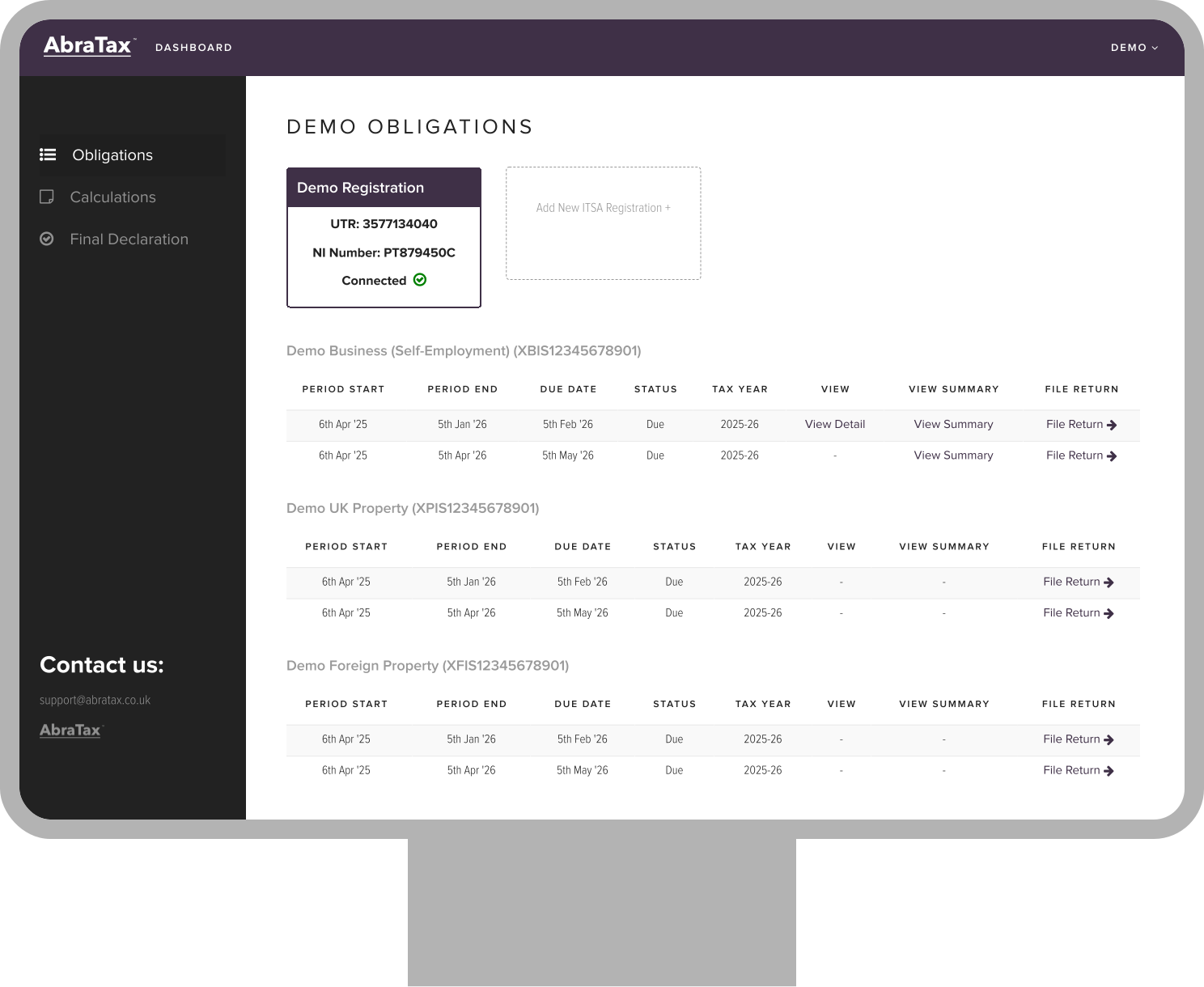
Built for accountants managing MTD Income Tax clients
HMRC-recognised
Easy client management
Try for FREE
No card required / no commitment
Easy to follow instructions.
Diane B.
Easy to use. Clear steps and ease of navigation. Awesome site.
Raj P.
good
R T
Great website and really easy to use. Was surprised I could do this from my phone and did not have to worry about using my chromebook which didn’t seem to work with other providers. Pleased I came across Abratax. Had a small technical issue as had not ticked all the relevant pages I needed and someone got back to me in a couple of hours. Thank you so much for your support and for the abratax! Best regards, JM
Jacquiline M.
Great website.
Claude-Olivier C.
Hi there! I used the service and it was great - simple interface, easy to navigate with the required information accessible when I needed it. Despite not being a long-term UK resident I found it relatively simple to go through - well done! A couple of suggestions to improve this further if possible: - Scanning a P60 to pre-populate information - Pre-filling information based on UTR or similar, as done in the HMRC website
Tarun R.
Really easy to use, even for additional forms etc.
Andrew F.
Satisfying in all respects.
Agha H.
Seriously awesome tax filer. Easy to use and all the steps. Allowed foreign resident! 10 minutes and done (I had got the info ready beforehand...)
William W.
So easy thank you
Diane B.
So straight forward!
Nicola H.
Thanks so much for all of your prompt assistance as it helped me submit my return before the deadline!
Diana W.
Very easy to use with the help comments by each box providing useful information.
William N.
Very easy to use. Return submitted quickly.
George M.
Your notifications of information that was missing during completion of the self-assessment return were useful. The AbraTax platform is clear and easy to navigate.
Marjorie E.

How to get started with an Agent Account
Get secure access to AbraTax's MTD tools built for accountants. Connect your Agent Services Account, add clients, and start filing, all in one dashboard.
1
Connect your Agent Services Account
2
Add your clients and groups
3
Authorise clients with HMRC
4
File returns and track progress
Filing your own tax return?
We also have a self filing platform dedicated to self-employed and landlords.
Pricing
Pricing for Agents
Choose the model that fits your practice - pay per filing or commit annually for volume discounts.
Legacy plans are closed to new customers.
Existing subscribers remain on these plans until they choose to switch. We recommend upgrading to Annual Plan for better per-client value at scale.
Basic - ideal for sole practitioners
£4
/client per quarter
What’s included:
Unlimited submissions for the quarter
All business sources supported (self employment, UK property & foreign property)
Live tax calculation and estimated tax liabilities
All non-mandated income types supported
Final declaration
Client management dashboard
Return filing reminders
Return validations & error alerts
HMRC submission receipts & audit trail
Digital client/agent authorisation workflow
Enterprise-grade security
Friendly email support
Pro - for practices with teams
£11.50
/client per quarter
What’s included:
All business sources supported (self employment, UK property & foreign property)
Unlimited submissions for the quarter
Live tax calculation and estimated tax liabilities
All non-mandated income types supported
Final declaration
Client management dashboard
Return filing reminders
Return validations & error alerts
HMRC submission receipts & audit trail
Digital client/agent authorisation workflow
Enterprise-grade security
Friendly email support
Unlimited number of users
Assign clients to users
Client approval workflow
Partner approval workflow
Multiple ASAs (agent service accounts)
Plans include
Client management dashboardReturn validations & error alertsDigital client authorisation via emailClient approval workflowHMRC submission receipts & audit trailEnterprise-grade securityReturn filing remindersAssign clients to usersMultiple agent gateway accountsPartner approval workflowUp to 10 users (contact support@abratax.co.uk for more)
Income Tax filings include
All business sources supported: self employment, UK property & foreign propertyUnlimited submissions for the quarterLive tax calculation and estimated tax liabilitiesAll non-mandated income types supportedFinal declaration
How credits work
Buy credits upfront
Purchase in advance using a credit card.
Deducted on filing
One credit is used each time you submit.
What counts as a credit
1 VAT filing = 1 credit. All Income Tax filings per quarter = 1 credit.
Client management dashboardReturn validations & error alertsDigital client authorisation via emailClient approval workflowHMRC submission receipts & audit trailEnterprise-grade securityReturn filing remindersAssign clients to usersMultiple agent gateway accountsPartner approval workflowUp to 10 users (contact support@abratax.co.uk for more)
Registration type
Income Tax filings include
All business sources supported: self employment, UK property & foreign propertyUnlimited submissions for the quarterLive tax calculation and estimated tax liabilitiesAll non-mandated income types supportedFinal declaration
VAT clients / entities
10 clients
Annual total£150Was £150
£15/client · yr
after sale
1255075100
1-10£15£15/cl
11-25£14£14/cl
26-50£13£13/cl
51-100£12£12/cl
101+Contact
Income Tax clients / entities
10 clients
Annual total£200Was £200
£20/client · yr
after sale
AbraTax brings your MTD filings, HMRC connections, and client approvals together, so you can stay compliant and save time on every submission.
Manage every client from one dashboard
See each client's VAT and Income Tax status in one place. Check what's due, jump to filings, and view counts and queues.
Stay MTD compliant with your current spreadsheets
Keep your Excel workflow. Use the AbraTax template to digitally link the required fields, then upload and file.
File VAT and Income Tax in one simple platform
Submit MTD VAT returns and make MTD for Income Tax updates from the same portal. Obligations appear after HMRC authorisation.
Never miss a deadline
Set reminders for key dates. Get alerts if anything looks missing or incorrect before you file.
Work faster with built-in validations and receipts
Built-in validations catch common errors before submission. Download HMRC submission receipts and PDFs for your records.
Keep control across the team
Add unlimited users, assign clients to users or groups, and set access as admin or standard. Use partner sign-off and client approval by email before submission. Support for multiple Agent Services Accounts.
Secure platform
Data is protected with industry-standard security, including two-factor authentication
Authorise once and connect to HMRC securely
Run a simple client authorisation flow, link your ASA, retrieve obligations, and file directly to HMRC.
Get help when you need it
Friendly email support plus onboarding and training materials to help your team get set up quickly.
Built with accountants
We build with you, not just for you. AbraTax evolves with accountant feedback. We welcome requests for new features, integrations, and improvements that make your daily workflow easier.
Download MTD bridging templates and other resources to help you get started
See what is reported in quarterly updates and your Final Declaration, then compare familiar
Self Assessment boxes with their MTD Income Tax equivalents.
View the explainer guide
See AbraTax in Action (Watch Demo Videos)
How to connect your agent services account and add your first client
How to make a submission as an agent
Key features for managing clients and submissions
FAQs
Why does my dashboard say "HMRC are currently unable to provide data"?
This message typically appears when HMRC's systems are temporarily unavailable or when there's a connection issue. Try refreshing your dashboard or checking your HMRC connection status. If the issue persists, contact our support team.
How do I re-authorise AbraTax with HMRC?
To re-authorise AbraTax with HMRC, go to your account settings and select the option to reconnect your Agent Services Account. Follow the on-screen instructions to complete the authorisation process.
My client's MTD IT registration details aren't showing or says "Not authorised"
If a client's details aren't showing or appears as "Not authorised", you'll need to complete the client authorisation process. Send a authorisation request, and once your client approves, the MTD IT details will appear and obligations will be retrieved automatically.
Can I file MTD IT returns for multiple clients in AbraTax?
Yes, AbraTax is designed for accountants managing multiple clients. You can add unlimited clients to your account, organise them into groups, and file returns for all of them from one central dashboard.
How do I remove or deactivate a client from my AbraTax account?
To remove or deactivate a client, go to your client management dashboard, select the client, and choose the option to deactivate or remove them. Note that historical filing records will be retained for audit purposes.
Get in touch
Drop us a message
Get in touchDrop us a message
Manage and submit MTD Income Tax returns for your clients using spreadsheets