From April 2026
Mandatory for sole traders and property landlords with a qualifying income of over £50,000.
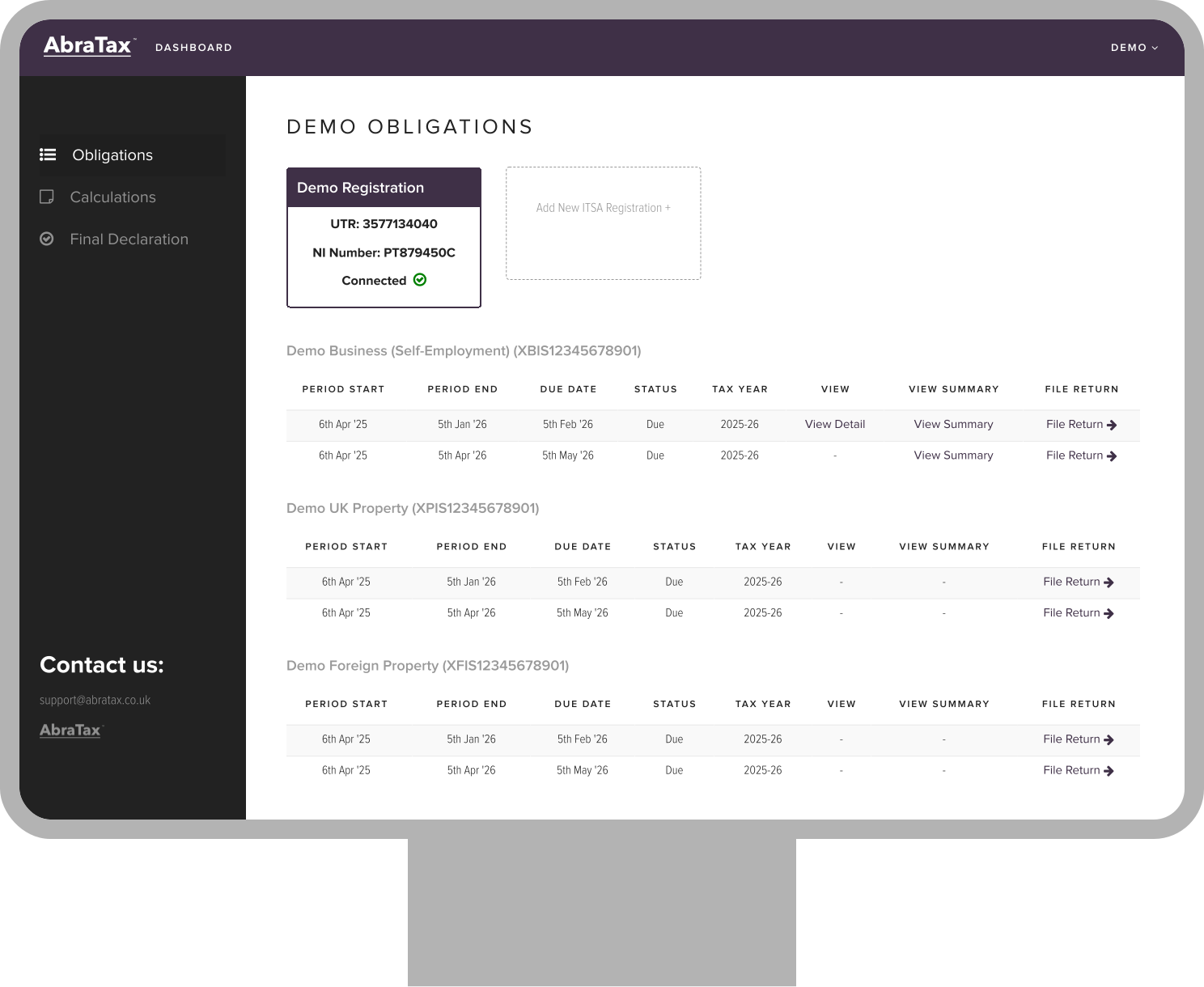
 Simple MTD bridging software for spreadsheets
No bank feeds – keep your data private
Submit to HMRC in a few clicks
Keep your existing spreadsheets
Ideal for sole traders and landlords
Simple MTD bridging software for spreadsheets
No bank feeds – keep your data private
Submit to HMRC in a few clicks
Keep your existing spreadsheets
Ideal for sole traders and landlords
 Easy to follow instructions.
Diane B.

Easy to use. Clear steps and ease of navigation. Awesome site.
Raj P.
good
R T
Great website and really easy to use. Was surprised I could do this from my phone and did not have to worry about using my chromebook which didn’t seem to work with other providers. Pleased I came across Abratax. Had a small technical issue as had not ticked all the relevant pages I needed and someone got back to me in a couple of hours. Thank you so much for your support and for the abratax! Best regards, JM
Jacquiline M.
Great website.
Claude-Olivier C.
Hi there! I used the service and it was great - simple interface, easy to navigate with the required information accessible when I needed it. Despite not being a long-term UK resident I found it relatively simple to go through - well done! A couple of suggestions to improve this further if possible: - Scanning a P60 to pre-populate information - Pre-filling information based on UTR or similar, as done in the HMRC website
Tarun R.
Really easy to use, even for additional forms etc.
Andrew F.
Satisfying in all respects.
Agha H.
Seriously awesome tax filer. Easy to use and all the steps. Allowed foreign resident! 10 minutes and done (I had got the info ready beforehand...)
William W.
So easy thank you
Diane B.
So straight forward!
Nicola H.
Thanks so much for all of your prompt assistance as it helped me submit my return before the deadline!
Diana W.
Very easy to use with the help comments by each box providing useful information.
William N.
Very easy to use. Return submitted quickly.
George M.
Your notifications of information that was missing during completion of the self-assessment return were useful. The AbraTax platform is clear and easy to navigate.
Marjorie E.


Use our downloadable templates to link your records and upload in minutes.

Continue using spreadsheets or your current process – no need to switch to complex accounting software.

Keep full control of your data – no need to connect bank accounts or share sensitive information.

Your data is protected with industry-standard security, including two-factor authentication.

Submit your updates directly to HMRC with confidence.

Submit your first return at no cost.

See your estimated tax position as you go so there are no surprises.

Quick to set up, with no confusing jargon.

Set reminders for key dates – get alerts if anything looks missing or incorrect before you file.

We support all other income sources such as dividends and interest, so you can file your entire tax return in one place.

Safely share access with your accountant, business partners, or spouse.

Get help from a dedicated team who understand HMRC and MTD.
How to connect a MTD IT registration
How to file a MTD IT Return
AbraTax - Business & Individuals - MTD Income Tax - UK Property
AbraTax - Business & Individuals - MTD Income Tax - Foreign Property
Making Tax Digital for Income Tax (MTD for IT) changes how sole traders and landlords report their self-employment and property income to HMRC.
Under MTD for IT, you will:
The deadline for submitting your tax return and paying any tax due is 31 January following the end of the tax year.