Before April 2026
Public beta open for voluntary sign-up/testing phase.
returns today (the new Self Assessment)
Simple MTD Excel bridging software
HMRC-recognised software
Making Tax Digital for Income Tax (MTD for IT) is a major change in how millions of people report their income to HMRC, replacing UK Self Assessment.
Under MTD for IT, you’ll no longer file a single yearly return by manually communicating financial information to HMRC, for example, by typing into a web form. Instead, you will:
The deadline for both filing the final declaration and paying any tax due remains the same as Self Assessment 31st January each year.
How to connect a MTD IT registration
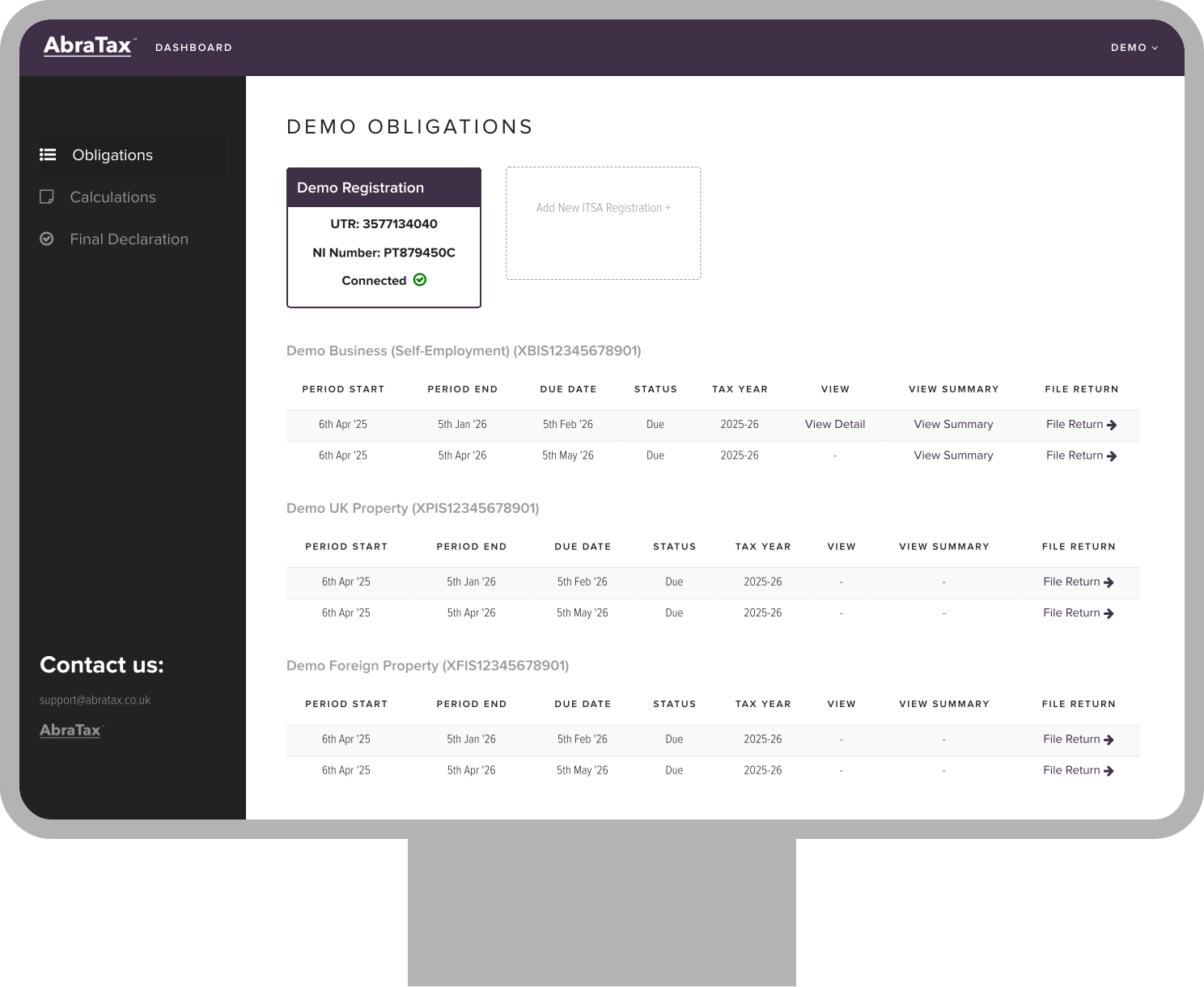
How to file a MTD IT Return
AbraTax - Business & Individuals - MTD Income Tax - UK Property
AbraTax - Business & Individuals - MTD Income Tax - Foreign Property
The rollout of MTD for IT is being phased based on your total annual gross income from self-employment and/or property, also known as "qualifying income". Anyone that earns income from self-employment such as sole traders, and property either in the UK or foreign such as landlords are required to comply with the new legislation.
Examples of those likely affected include:
Public beta open for voluntary sign-up/testing phase.

Despite the timeline, anyone can register and apply to start using MTD Income Tax TODAY to help test the service, and get ahead before the rush starts. Register for your free account on AbraTax and get started today.
Sign up today
Filing via MTD-compliant software required
Digital records must be kept, and these are required to link digitally to submissions
4 quarterly submissions per business (including property businesses) to be made
Live tax liability estimates can be obtained throughout the year
A final declaration of both MTD and non-MTD incomes made once per year (similar to the classic self assessment)
Submit updates directly to HMRC
Use our downloadable templates to effortlessly link digital records and upload your records
Continue to work the way you like with spreadsheet record keeping, and simply use our bridging software to comply with the requirements of MTD

Free to get started
Built-in tax calculations - view your live tax liability anytime as you, and be better prepared

Easy setup, no jargon

Get help and access to a dedicated HMRC MTD team
Sign Up - Create your AbraTax account
Connect your Unique Taxpayer Reference (UTR) and National Insurance number
Add income and expenses - Digitally link income and expenses using our spreadsheet bridging template by creating formulas between sheets
Upload digitally linked records - Drag and drop the complete spreadsheet to upload.
Submit quarterly returns to HMRC - Check and file quarterly updates in a click
Qualifying income is the total gross income (turnover or revenue) from your self-employment and property businesses combined (before any expenses).
No. While you'll need to submit quarterly updates and an End of Period Statement, your tax payment deadlines remain the same:
You must submit a summary of income and expenses for each business on a quarterly basis, no later than one month after the end of each quarter:
You must submit one EOPS per business after the end of the tax year, by 31 January following the tax year.
The Final Declaration replaces the traditional Self Assessment tax return and must also be submitted by 31 January following the end of the tax year.
HMRC is introducing a points-based penalty system:
Yes. You may be exempt if:
You can still use our bridging tool. You'll need to:
No. You can continue using spreadsheets as long as you use bridging software to digitally link your records and submit updates to HMRC.
Bridging software connects your spreadsheet to HMRC using formulas between our spreadsheet template and your digital records, allowing you to submit MTD-compliant updates without changing your current bookkeeping process.
You must send:
Yes. Our bridging software works with both Excel and Google Sheets, as long as your records are structured correctly.
Our product lets you download a spreadsheet template for each business or property submission required. These templates are linked to your digital records using formula, meeting the HMRC legal definition of a digital link. After uploading the populated template, you can review and submit your figures to HMRC in a few clicks—without retyping anything.
A digital link means data must flow from your spreadsheet to the bridging tool without manual copying and pasting. Formulas that referencing between two spreadsheets meet the legislation requirements.
Yes. You must sign up for MTD IT through your HMRC online account before submitting your first update.
You also need to enter your business or property details as part of this process before viewable in any software.
We offer simple, affordable pricing with plans for individuals, agents, and multiple businesses. View our pricing
Customers participating in the MTD testing phase will receive contact details for a dedicated Customer Support Team, available Monday to Friday, 8am to 6pm.
HMRC aims to resolve queries at first contact where possible. If further action is needed, they aim to respond within 2 working days and provide updates every 2 working days thereafter, if required.